SECURITY ANALYSIS
The Deal Can Wait. Your Data Can’t: A Black Friday Cybersecurity Survival Guide

Black Friday cybersecurity tips for shoppers and businesses: spot scams, protect accounts, secure checkout, and respond to fraud with practical checklists.
By Harpreet Singh, CISSP, CCSP
A countdown says the offer ends in minutes. A delivery message arrives while you are expecting several parcels. At a busy store, a member of staff receives an urgent request to reset an administrator’s sign-in. The situations look different, but each asks someone to act before checking who is asking and what the action will authorize.
For shoppers, the priority is to verify the retailer, protect the accounts that control purchases, and review a payment before approving it. For businesses, the same discipline extends to staff access, checkout changes, refunds and incident response. A useful security habit is one you can follow when you are distracted or under pressure.
The Canadian Cyber Centre’s October 2026 online-shopping guidance warns about fraudulent storefronts, payment requests and impersonation. Professional design, encryption and familiar branding do not establish that a seller is genuine. The practical steps below explain what to check, why it matters and how to respond if something goes wrong.
Buying for yourself or your family? Start with account protection. Running a store? Go to business readiness. If you may already have encountered a scam, use the response guide.
In this guide
Before browsing: secure the accounts that control the purchase
Start with email. It receives order confirmations and often controls account recovery. A separate, strong password for email prevents a password stolen from one shop from being the same key to your inbox. Use a reputable password manager to create and store unique passwords, and protect the manager itself. Canadian password guidance supports using different credentials for different accounts. [3]
Where supported, consider passkeys and the strongest practical sign-in protection. Passkeys are phishing-resistant, but account recovery, device access and fallback sign-in still matter. Keep the device locked and the recovery account protected. If a service only offers a weaker second factor, enabling an available option is generally preferable to leaving the account without it; review stronger choices when available. [4]
Check recovery email addresses, phone numbers and backup methods before a shopping session, through account settings you opened independently. Store recovery codes privately, away from public screenshots or shared notes. Do not remove your only working recovery method while experimenting with new sign-in options.
Enable purchase or transaction alerts where your provider supports them. Know how to reach the provider using its official app, website or the number on your card. This preparation is useful even if the purchase is legitimate: it lets you respond to an incorrect or unfamiliar transaction without searching for help under pressure.
Prepare the device, browser and connection
Use a supported phone or computer with current operating-system and browser updates. Check that built-in security protections remain enabled. Remove browser extensions you no longer need, especially ones that can read or change shopping pages. A coupon extension’s convenience should be weighed against the access it requests.
Get shopping apps from the platform’s official store or a link verified through the retailer’s own site. Inspect the publisher and requested permissions; an app-store listing or high rating alone is not a guarantee. A deal should not require disabling security tools, installing an unknown browser certificate, granting device-administrator access or downloading an executable from a message.
Prefer your own trusted device and a known network. On a public connection, verify the network with the venue and decline unexpected certificate warnings or software installation prompts. Mobile data can be a simpler alternative. HTTPS still matters, but neither HTTPS nor a VPN makes a fraudulent retailer honest. A VPN changes the network trust relationship; it does not validate a seller or reverse an authorized payment.
If using a shared device, avoid saving payment details and sign out afterward. Do not shop on a machine you suspect is compromised. For work devices and corporate purchases, follow the organization’s approved procurement and device rules rather than mixing personal shopping with privileged administration.
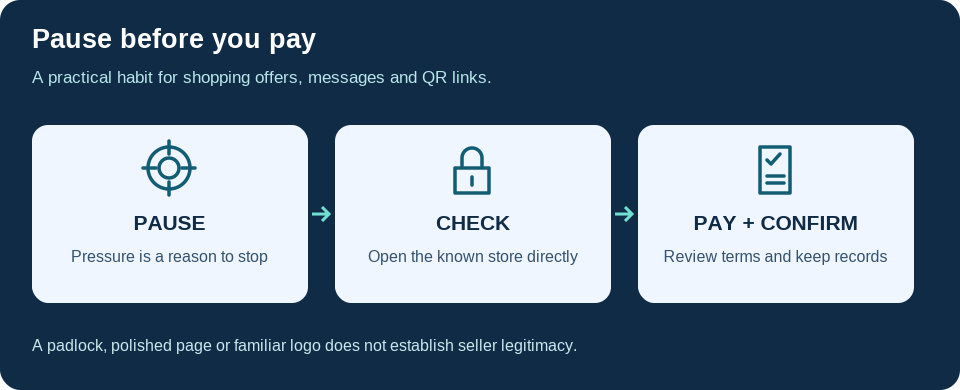
Pause before you pay: establish who is selling
For a familiar retailer, open the official app or a previously verified bookmark rather than following an advertisement, social post or unexpected message. Read the actual address, not just the page title or logo. Lookalike spelling, extra words and misleading subdomains can make an address feel familiar. If the address is difficult to evaluate, leave the link and find the retailer through a separate trusted source.
For an unfamiliar seller, look for a consistent business identity, working contact route and clear terms. Compare independent information rather than trusting the site’s own testimonials. Search results and reviews are leads to evaluate, not endorsements. If a key fact remains uncertain, choose a seller you can verify or do not buy.
Check the exact model, condition, quantity and total price. Include shipping, taxes, import costs where applicable, delivery estimates, returns and whether a discount starts a recurring subscription. Save the terms that influenced the purchase. The FTC recommends checking sellers and keeping purchase records; it explicitly notes that encrypted sites can still be fraudulent. [2]
A genuine retailer can also suffer a security incident, and a familiar brand may appear on a marketplace operated by someone else. Verify the seller of record and payment recipient for the particular listing. Security is a series of decisions, not a logo inspection.
At checkout: reduce exposure and understand the payment
Use a payment method whose dispute process and buyer protections you understand. Credit cards can offer useful protections, and the FTC recommends them where possible. Those protections, deadlines and outcomes depend on jurisdiction, issuer and circumstances; confirm them with your provider rather than assuming a refund is guaranteed. [2]
Treat pressure to leave a marketplace’s official checkout as a reason to stop. Gift cards, cryptocurrency, bank transfers and person-to-person payments can be difficult to recover, particularly when used outside an intended purchase-protection scheme. A genuine payment method can still be misused by a fraudulent seller.
A digital wallet or virtual card may reduce exposure of the underlying card number, depending on its design. It does not verify the merchant, guarantee delivery or eliminate dispute conditions. Review the merchant name, amount and currency in any payment approval screen. Decline an unexpected authorization and contact the provider through a known route.
Provide only what the transaction needs. An ordinary retail purchase should not become an unexplained request for banking credentials, a government identifier or device access. Avoid saving payment information where you do not need it. Keep your receipt and order reference securely, but do not post full receipts, shipping labels or order barcodes publicly.
Recognize the request behind the scam
| What appears | What the request tries to obtain | Safer next step |
|---|---|---|
| A limited-time social advertisement or celebrity endorsement | A rushed visit to an unverified seller | Open the retailer independently and compare the offer |
| A parcel fee or address-correction text | Payment details or an account login | Check the actual order and carrier account directly |
| An account-lock warning | A password, approval or one-time code | Open account settings yourself and review activity |
| A refund helper or support caller | Remote device access or a transfer | End the conversation and contact known support |
| A QR code on a coupon, message or unexpected parcel | A less visible route to a website or app action | Use the known store or service rather than the code |
| A request to move off a marketplace | A payment outside its intended protections | Keep the transaction in the official process or decline |
The message may be grammatically correct and include real details from an earlier purchase. Treat its requested action as the key signal. FTC phishing guidance describes messages designed to obtain account or financial information; spelling mistakes are only one possible clue, not a reliable test of authenticity. [5]
Caller ID, a displayed sender name and a familiar conversation thread do not establish authority. If someone asks you to read out a sign-in code, approve an unexpected login or move money to “protect” it, stop and verify through an independent channel. A code generated for a login or payment can authorize more than the caller admits.
QR codes, polished messages and AI shopping assistants
A QR code is a way to carry information or open an action, not a safety seal. Preview its destination when your device allows it, but do not rely on a quick glance at a long address. For an unexpected delivery or account request, use the company’s known app or site instead. The FTC specifically warns about QR codes used in fabricated parcel and account messages. [6]
Some legitimate sign-in flows also use QR codes. Only initiate those flows yourself on a known site or device, and read what the phone asks you to approve. Do not scan a code supplied by a stranger who claims it is required for a refund or account rescue.
AI-generated images, endorsements and fluent support conversations do not prove identity. If you use an AI shopping assistant, independently verify the seller, final product and payment destination. Do not give it unnecessary identity documents, account credentials or broad authority to spend. Require review of the actual transaction, including shipping and subscription terms, before commitment.
The same habit applies to human recommendations. A friend’s account can be compromised or an affiliate link can lead somewhere unexpected. Confirm the offer at the retailer rather than forwarding an unverified bargain to family or colleagues.
After buying: do not let the delivery become the next trap
Check the order in the account or confirmation route you established at purchase. Expect that parcel messages may arrive, but verify changes independently. A correct name or a plausible tracking reference does not by itself prove a message is from the carrier.
If an item is late, start from the original order and the seller’s verified contact. Avoid support numbers in an unsolicited message or an unverified search advertisement. A refund should not require remote control of your device or moving money to repair an alleged overpayment. FTC guidance describes these as common support and refund scam patterns. [7]
Review transactions and alerts regularly, including small unfamiliar entries. A small amount is not evidence that a charge is harmless. Keep a private record of order status and communications. If the seller cannot resolve an issue, contact the payment provider promptly and ask about the applicable dispute process and evidence.
When a connected gift arrives, use the manufacturer’s verified setup route, update it and review default access and privacy settings. A sale price does not compensate for an unsupported device that cannot receive security fixes. Remove personal accounts and stored data from a device before an authorized return or disposal.
Make the safer choice easy for the whole household
Agree a simple household rule: nobody needs to keep a suspicious payment, code request or account warning secret. Offer to check it together without ridicule. Scams are designed to create pressure and exploit trust; embarrassment can delay reporting and make recovery harder.
For children or shared devices, review purchasing permissions and spending controls where supported. Explain that a game currency offer, giveaway or social promotion can lead outside the expected app. Do not ask a child to send account passwords or payment details to someone offering to help.
For someone less comfortable with technology, create verified bookmarks and identify one trusted support person in advance. Encourage them to hang up and call back through a known number rather than remaining on a pressured call. A trusted helper should guide recovery through official tools without demanding unnecessary access to private accounts.
Accessibility matters too: small text, confusing addresses and rushed approval screens can make verification difficult. Increase text size, use a larger display or ask for help. The deal is optional; a decision you can understand is more valuable than completing it before a countdown ends.
If you clicked, paid or shared information: choose the right response
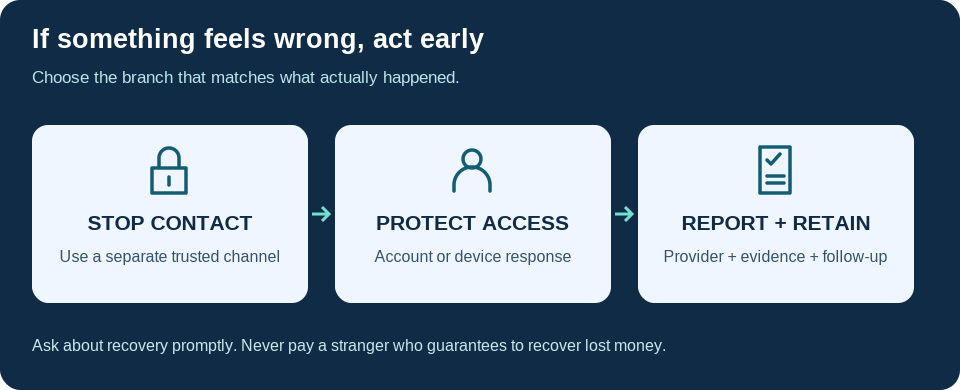
Stop interacting with the suspected scam and choose a trusted route for help. Clicking a link, typing a password and installing remote-access software are different events. Respond to what happened without assuming that every account is compromised or that no action is needed because no money has moved.
| What happened | First actions | What to verify next |
|---|---|---|
| Opened a page; no information entered or software installed | Close it; inspect unexpected downloads, permissions or account approvals | Use the real service and check activity; obtain device help if symptoms appear |
| Entered a password or approved an unexpected sign-in | From a trusted device, secure the real account and review sessions and recovery methods | Change reused credentials; review email forwarding, connected apps and other unauthorized changes |
| Entered card details or sent money | Contact the issuer, bank or payment service using its official channel immediately | Ask about containment, replacement or reversal; retain a case reference and monitor transactions |
| Installed software or granted remote access | Stop the remote connection and use another trusted device to contact support | Obtain qualified device assessment; do not rely only on uninstalling the visible application |
| Shared identity documents or sensitive personal information | Contact appropriate institutions and reporting services | Ask about suitable identity-protection steps in your jurisdiction and watch for follow-on misuse |
FTC recovery guidance recommends contacting the organization used to make the payment promptly. Recovery may be possible, but is not assured. Never pay a stranger who guarantees to recover your money, account or cryptocurrency. [8]
If the affected device is managed by your employer, report it to the IT or security team before wiping it or deleting evidence. If you suspect ongoing remote access on a personal device, disconnect it from the network and use a different trusted device for urgent banking or account recovery. Seek qualified help to assess whether a reset or rebuild is necessary.
Preserve useful evidence and report through official channels
Keep the website address, message, date, order reference, amount, payment record and a brief timeline. Do not continue engaging with the scammer to collect more evidence. Do not publish other people’s details, full card numbers or identity documents while warning others.
For Canada, the Canadian Anti-Fraud Centre’s victim guidance explains reporting and follow-up. Contact your financial institution and, where appropriate, local police. In the United States, the FTC’s recovery guidance links to its reporting tools. Elsewhere, use your national fraud-reporting service and payment provider; processes and legal rights differ. [9]
If identity information was exposed, ask the relevant institutions or credit bureaus about options appropriate to your jurisdiction. Do not assume that a credit freeze, fraud alert or reimbursement process works identically in every country. Keep case numbers and follow-up dates so you can track the response.
A payment dispute does not automatically secure an email account or remove unwanted device access. Treat money, identity, accounts and devices as separate work items when more than one was affected.
Three fictional examples: why a small request can have a larger cost
The discounted headphones. A buyer follows a polished advertisement to a fake shop and reuses the password from their email account. The purchase amount may be the first loss, but the reused password can also expose the inbox and account-recovery messages. The safer intervention is independent seller verification and unique credentials; the response must secure the email as well as address the payment.
The small delivery fee. A shopper expects a parcel and accepts a message asking for a minor payment. The amount feels unimportant, but the form collects more payment information than the fee requires. Checking the carrier through the original order would separate a real delivery problem from the unexpected request. A small charge deserves the same destination check as a large one.
The store-support call. A staff member receives an urgent call about failed orders and approves an administrator reset. The caller may then be able to affect customer information, refunds or checkout settings, depending on the permissions obtained. A verified callback and a controlled privileged-reset procedure can interrupt the decision before access changes.
These are hypothetical teaching cases. They are not reports of observed incidents, measured loss estimates or claims that every exposed credential leads to the same outcome.
For businesses: treat peak trading as an operational readiness event
Customers need a trustworthy store; staff need a process they can follow while busy. Name the owner of the commerce platform, payment integration, hosting, domain registrar, email, customer support and incident response. A small retailer can combine roles, but should still identify a backup and a contact route that works outside ordinary office hours.
The Canadian Cyber Centre’s baseline guidance organizes small-business security around measures including access, updates, awareness, backup and incident preparation. Use it as a foundation, then apply the checks below to the actual order journey. A completed checklist is not certification or proof that the entire business is protected. [10]
Before peak traffic, reconcile the systems and integrations actually serving customers. Include temporary marketing plugins, analytics tags, fulfilment connections, seasonal accounts and contractors. Record who can change each part. An old architecture diagram can miss a recently added script or a supplier account that remains active.
Decide how changes will be reviewed during the event. Limit unnecessary experiments, keep a tested rollback and preserve an emergency path for necessary security fixes. A change freeze that prevents remediation of a serious issue is not automatically safer than a controlled urgent release.
Protect privileged access, money movement and supplier changes
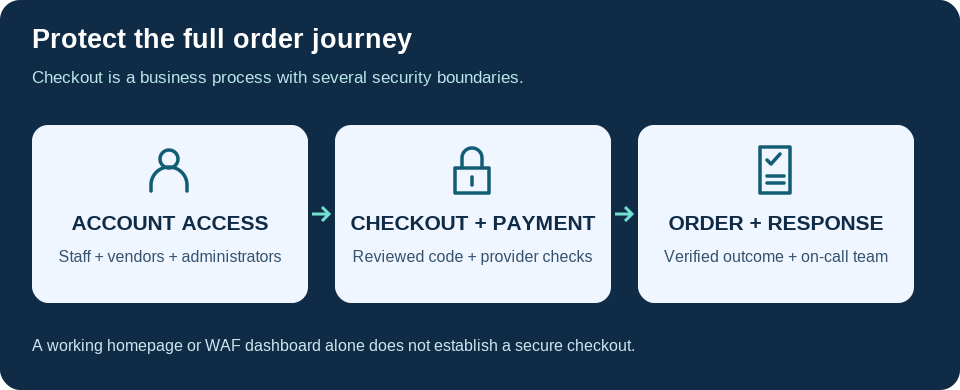
Prioritize administrative access to email, the domain registrar, commerce platform, cloud or hosting console and payment portal. Use individual accounts, least privilege and strong MFA, preferring phishing-resistant options where supported. Verify recovery methods and keep emergency access controlled and auditable. A shared administrator password makes both prevention and investigation harder.
Review seasonal staff and vendor access. Give temporary users only the functions they need and set an end date. Do not allow an unverified help-desk request, caller ID or urgent message to reset a privileged account or enrol a new authentication method. Separate the person asking for a change from the channel used to verify it.
For supplier bank-detail changes, unusual refunds and requests to release funds, use a known contact route from existing records. A reply to the same email does not establish that the account has not been compromised. Use appropriate second-person approval for consequential changes and retain the reason and evidence.
Treat AI assistants and support integrations as part of this permission review. An assistant that drafts a reply does not need unrestricted refund or customer-export privileges. Validate authorization at the application or tool boundary, and require specific review of consequential actions rather than relying on a prompt to enforce policy.
Secure the checkout that reaches the customer’s browser
Map the customer path from product page to payment to order confirmation. Know whether payment is redirected, embedded or handled directly, and confirm responsibilities with the payment provider and acquiring bank. Using a provider does not remove every merchant responsibility: identities, redirects and surrounding merchant code can still affect the journey.
Review the scripts and third-party components present on relevant payment pages. PCI SSC’s payment-page security guidance focuses on authorization, integrity and detection of unauthorized changes. It is supplemental guidance, not a replacement for the applicable PCI standard. Determine scope and requirements with the provider, acquirer or qualified assessor rather than claiming this article establishes compliance. [11]
Inspect the deployed version, not only the repository. Review changes to plugins, tag managers, redirects and payment destinations. Protect the people and accounts that can publish them. A WAF can help inspect supported traffic, but it does not prove that browser-side code is trustworthy or repair a compromised account.
Use an approved synthetic order to verify the actual result: correct price, intended payment route, one expected order, confirmation and fulfilment handoff. Use provider test modes or approved test procedures; do not expose real card data in logs or screenshots. Confirm that an authorized operator can stop a problematic release and restore the reviewed configuration.
Monitor availability, fraud and security as different signals
A slow checkout, a suspicious payment pattern and an unauthorized configuration change need different investigations. Define separate signals for the customer journey, transaction risk and privileged activity. Raw request counts cannot tell you which customers completed a valid order or whether a payment was fraudulent.
Agree with your provider how to detect and handle unusual declines, repeated low-value attempts, account takeover indicators and abnormal refund activity. Tune controls to the service and customer population rather than copying an arbitrary threshold. Avoid publishing detection thresholds that would help someone evade them.
For availability, verify capacity and upstream support arrangements using approved testing. Check that alerts distinguish provider failure, application error and WAF rejection. Avoid disabling entire security categories in response to a sales dip without evidence. The controlled WAF mitigation guide explains a controlled approach to legitimate traffic failures.
Test whether notifications reach a person who can act, including a backup route. Record the time window, expected outcome and actual result of that exercise. A dashboard visible only to someone who is off duty is not an effective on-call process. Retain essential logs with appropriate access and privacy controls.
Give frontline staff a short, usable escalation protocol
Train around the requests staff are likely to receive: changing a delivery address, resetting an account, issuing a refund, updating a supplier bank account or installing “urgent support” software. Give them a trusted verification route and permission to pause without being penalized for slowing a suspicious request.
Use a simple operating rule: verify the requester, verify their authority, then verify the exact action. Customer service should not collect full payment-card details, passwords or sign-in codes in ordinary chat or tickets. Configure forms and logs to minimize unnecessary sensitive information.
A safe escalation message should include the affected service, approximate time, observed symptom and a non-sensitive reference. Staff should not post raw customer records or secrets into a broad group channel. Provide an approved secure way to share necessary evidence with responders.
Make customer communications difficult to imitate. Explain where customers can check an order and how to reach support independently. Avoid making remote access, off-platform payment or unusual credential requests part of a legitimate customer-support workflow. Review published contact details and remove obsolete support routes.
If the store is affected: contain, preserve and recover deliberately
Activate the named incident lead and keep a timeline. Determine whether the issue affects availability, unauthorized access, payment routing, customer information or more than one area. Preserve relevant configuration and logs while limiting further harm. Involve the host, commerce vendor and payment provider through verified contacts.
A suspected checkout compromise may require pausing affected payment processing while specialists determine scope. Do not merely remove a suspicious script and declare the incident finished: investigate how it arrived, which identities or integrations were involved and what may have been exposed. Coordinate with the acquirer or provider on any required payment-security response.
For ransomware or system recovery, use approved isolation and restoration procedures with qualified responders. Verify backups and dependent services in a controlled environment. The GRC playbook explains why a successful backup job is different from a usable restored service. Preserve evidence before destructive recovery steps where feasible and authorized.
Assign privacy and legal review promptly. For organizations subject to PIPEDA, OPC guidance requires reporting and notification for breaches posing a real risk of significant harm, and records of all breaches. Other laws, provinces, sectors and contracts can add different obligations; determine applicability rather than relying on a universal deadline. [12]
Communicate confirmed facts, affected functions, steps customers should take and the next update route. Do not promise that all data is safe before the investigation supports it. Before reopening, verify the trusted deployment, credentials, payment destination, monitoring and representative order outcome. Track unresolved work separately.
A realistic preparation plan, without a universal timer
| When | For shoppers | For businesses |
|---|---|---|
| Before the shopping period | Secure email, check recovery, update devices and enable payment alerts | Review critical access, checkout changes, provider contacts and recovery evidence |
| Before each purchase or change | Verify seller, amount, terms and requested permissions | Use approved deployment, refund and privileged-change checks |
| During the peak period | Use official order channels and review unexpected approvals | Monitor customer outcomes and security signals; maintain an on-call handover |
| After the event | Review transactions, remove unnecessary saved data and check subscriptions | Reconcile refunds and privileged changes; expire temporary access and review incidents |
Start with the highest-consequence gap. If your email has a reused password, fix that before comparing dozens of shops. If your store has no verified incident contact or rollback, establish those before adding a new promotional integration. The sequence is a practical prioritization aid, not a guarantee that every risk has been covered.
Save these checklists before the rush
These checkboxes are temporary, local review aids. They do not save or transmit your selections, and completion is not a security assessment.
For shoppers and families
For businesses
Download the shopper safety PDF · Download the business readiness PDF · Download the blank review worksheet (CSV)
Questions worth asking before you click
The shop has HTTPS and hundreds of five-star reviews. Is it safe?
Those are observations, not proof. HTTPS protects the connection, while reviews can be manipulated. Independently verify the seller, terms and payment route; walk away if important facts cannot be established.
I clicked a delivery link but entered nothing. Must I replace every password?
Do not assume all accounts were compromised. Close the page, check for downloads or permissions and use the real carrier site. If credentials, software installation or account changes were involved, follow the relevant response branch and get help.
Our payment provider hosts checkout. Can we ignore our own website?
No. Responsibilities depend on the integration and agreed scope. Merchant pages, scripts, identities and redirects can still affect the customer journey. Confirm applicable responsibilities with the provider, acquirer or qualified assessor.
Will following the checklist make every purchase secure?
No checklist can guarantee a seller, device or account is safe. These steps reduce avoidable exposure and improve recovery. Stop when a meaningful uncertainty remains rather than treating a completed checklist as permission to proceed.
A useful offer leaves room for verification. Protect the account, check the destination and keep a route to help. For businesses, make those same choices possible for customers and staff when the store is busy.
About this guide
The procedures, tables and hypothetical examples are original CyberInsights editorial synthesis supported by the primary references below. No customer incident, product efficacy test or specific CVE association is asserted. Payment rights and reporting obligations vary by jurisdiction and circumstances.
Editorial policy · Suggest a correction · Browse CyberBlogs · Home
Sources and further reading
- Canadian Centre for Cyber Security: Shopping online safely (October 2026)
- FTC: Online shopping and payment precautions
- Canadian Centre for Cyber Security: Passphrase and password practices
- Canadian Centre for Cyber Security: Passkey considerations
- FTC: Recognize and avoid phishing scams
- FTC: Scammers hiding links in QR codes
- FTC: Tech support and refund scams
- FTC: What to do if you were scammed
- Canadian Anti-Fraud Centre: What to do if you are a victim of fraud
- Canadian Centre for Cyber Security: Baseline controls for small and medium organizations
- PCI Security Standards Council: Payment-page security and e-skimming guidance
- Office of the Privacy Commissioner of Canada: Mandatory breach reporting guidance